Executive Summary
Choosing the right SEO tools in 2026 is harder than it used to be, not because there are fewer good options, but because there are too many, and because “SEO” itself has quietly expanded to include AI Overviews, answer engines like Perplexity and ChatGPT Search, and Core Web Vitals-driven ranking signals that didn’t exist a few years ago.
This guide walks through what actually matters when evaluating an SEO tool, reviews the platforms that agencies and in-house teams rely on most, and breaks down free options including technical audit tools that are genuinely useful rather than lead-generation gimmicks. Whether you run a single WordPress blog, manage an ecommerce catalog, or oversee SEO for an enterprise site with hundreds of thousands of URLs, you’ll find a practical, opinionated recommendation here rather than a generic list.
Table of Contents
- Why SEO Tools Matter in 2026
- How AI Changed SEO
- Traditional Search vs. AI Search
- What Makes a Great SEO Tool
- Evaluation Criteria
- Quick Comparison Table
- Technical SEO Tools
- Keyword Research Tools
- Content Optimization Tools
- Rank Tracking Tools
- Link Building Tools
- Local SEO Tools
- Ecommerce SEO Tools
- Enterprise SEO Tools
- AI SEO Tools
- Browser Extensions
- Free SEO Tools (Including SEO Audit Tools)
- Google’s Own SEO Tools
- Common Mistakes When Choosing SEO Tools
- Free vs. Paid: Which Should You Use?
- Which Tool Is Right for You?
- Frequently Asked Questions
- Final Verdict
Why SEO Tools Matter in 2026
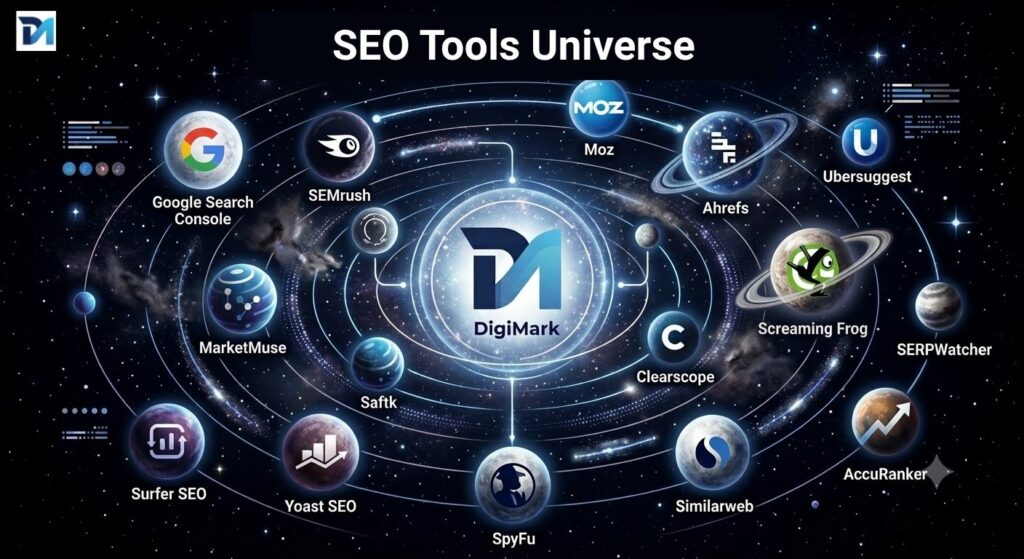
SEO used to be a discipline you could manage with a spreadsheet and Google Search Console. That’s no longer realistic. Search results pages now blend organic listings with AI Overviews, shopping carousels, video panels, and local packs and ranking well across all of them requires visibility into technical health, content quality, backlink profiles, and competitor movement that no human can track manually across more than a handful of pages.
A good SEO tool does three things well: it surfaces problems you can’t see with the naked eye (crawl errors, duplicate meta tags, broken redirects), it quantifies opportunity (search volume, keyword difficulty, content gaps), and it saves time on reporting so practitioners can spend more of their week on strategy instead of data collection. The tools reviewed below were chosen because they consistently deliver on at least one of those three jobs, not because they paid for placement.
How AI Changed SEO
Generative AI has reshaped SEO software in two distinct ways. First, tool vendors have bolted AI features onto existing platforms, content briefs generated from SERP analysis, AI-written meta descriptions, automated internal linking suggestions. Some of this is genuinely useful; a lot of it is marketing dressing on features that already existed in simpler form.
Second, and more importantly, AI has changed what “ranking” means. Large language model-powered answer engines don’t return ten blue links, they synthesize an answer, often citing two or three sources. That has pushed practitioners toward a new discipline sometimes called Answer Engine Optimization (AEO) or Generative Engine Optimization (GEO): structuring content so it’s easy for an LLM to extract, quote, and attribute. Tools that check whether your robots.txt and llms.txt files actually permit AI crawlers (GPTBot, ClaudeBot, PerplexityBot, and others) have gone from a nice-to-have to a standard line item in any technical audit.
Traditional Search vs. AI Search
| Factor | Traditional Search (Google/Bing organic) | AI Search (AI Overviews, ChatGPT Search, Perplexity) |
|---|---|---|
| Result format | Ranked list of links | Synthesized answer with citations |
| Primary ranking signal | Backlinks, relevance, UX signals | Extractability, clarity, entity coverage |
| Click behavior | Multiple results get clicks | Often one or two sources get cited |
| Tool focus | Rank tracking, backlink analysis | Structured data, crawlability for AI bots, content clarity |
| Measurement | Position tracking | Citation/mention tracking (still maturing) |
Neither search paradigm is replacing the other in 2026 — they coexist, and a well-built SEO tool needs to account for both. That’s part of why technical audits increasingly check for AI crawler access alongside traditional robots.txt directives.
What Makes a Great SEO Tool
Not all SEO software is created equal. Before paying for (or even trusting the output of) a tool, it should meet a few baseline standards:
- Accurate, transparent data. If a tool won’t explain how it estimates search volume or keyword difficulty, treat its numbers as directional, not gospel.
- Actionable output, not just data dumps. A crawl report listing 4,000 issues without prioritization is close to useless for a small team.
- Reasonable crawl/scan behavior. Tools that hammer a server with concurrent requests can trigger rate limiting or get IPs blocked. Respectful crawling (proper user-agent identification, sane request pacing) is a mark of a well-built tool.
- Coverage that matches your site type. An enterprise crawler is overkill for a five-page brochure site; a lightweight single-URL checker won’t cut it for a 50,000-page catalog.
- Exportable, shareable reporting. Especially for agencies, the ability to hand a client a clean PDF or dashboard matters as much as the underlying analysis.
Evaluation Criteria
Every tool in this guide was assessed against the same framework:
- Feature depth — does it go beyond surface-level checks?
- Ease of use — can a mid-level marketer use it without a training course?
- Pricing transparency — are costs clear, and is there a genuinely usable free tier?
- Data reliability — does the tool’s output match what you’d find via Search Console, server logs, or manual inspection?
- Update cadence — is the tool actively maintained for things like Core Web Vitals changes, new schema types, and AI crawler directives?
Quick Comparison Table
Links below go to each tool’s official site. Outbound links include standard referral tracking parameters (utm_source=digimarksol.in) so tool vendors can see this guide as a traffic source — the same transparent practice any publication uses when linking out.
| Tool | Category | Free Tier | Starting Paid Price | Best For |
|---|---|---|---|---|
| Ahrefs | All-in-one | Limited (Webmaster Tools) | ~$129/mo | Backlink analysis, keyword research |
| Semrush | All-in-one | Limited | ~$139.95/mo | Competitive analysis, agencies |
| Google Search Console | Technical | Free | Free | Indexing, performance data from Google itself |
| Google Analytics | Analytics | Free | Free | Traffic and behavior analysis |
| Screaming Frog SEO Spider | Technical crawler | Free (500 URLs) | ~£199/yr | Deep technical crawls |
| DigiMark Solutions Site Audit Tool | Free audit tool | Free | Free | Fast single-page technical & AI-readiness audits, it also give you insights for any internal page, and not just home page only |
| Sitebulb | Technical crawler | Trial only | ~$35.00+/mo | Visual crawl reporting |
| Moz Pro | All-in-one | Limited | ~$49/mo | Beginners, Domain Authority tracking |
| SE Ranking | All-in-one | Trial only | ~$65/mo | Budget-conscious agencies |
| Ubersuggest | Keyword/audit | Limited | ~$29/mo | Solopreneurs, small budgets |
| Mangools (KWFinder) | Keyword research | Limited | ~$29.90/mo | Long-tail keyword research |
| Surfer SEO | Content optimization | None | ~$99/mo | On-page content scoring |
| Frase | Content optimization | Trial only | ~$45/mo | Content briefs, AI writing assist |
| Clearscope | Content optimization | None | Custom/high-end | Enterprise content teams |
| Rank Math | WordPress plugin | Free | ~$59/yr Pro | WordPress on-page SEO |
| Yoast SEO | WordPress plugin | Free | ~$99/yr Premium | WordPress on-page SEO |
| GTmetrix | Page speed | Free (limited) | ~$14.95/mo | Performance diagnostics |
| Google PageSpeed Insights | Page speed | Free | Free | Core Web Vitals, field + lab data |
| Bing Webmaster Tools | Technical/Indexing | Free | Free | Bing indexing and diagnostics |
| Cloudflare | Infrastructure | Free tier | Usage-based | CDN, security, edge performance |
Pricing changes frequently; always confirm current rates on the vendor’s site before budgeting.
Technical SEO Tools
Technical SEO is the foundation everything else sits on — if search engines and AI crawlers can’t efficiently access, render, and understand your pages, keyword research and content strategy won’t matter. The tools in this category range from full-site crawlers built for enterprise audits to lightweight single-URL checkers you can run in seconds.
Screaming Frog SEO Spider
Overview: The desktop-based crawler that most technical SEOs learned on. It simulates how a search engine bot moves through a site, flagging broken links, redirect chains, duplicate titles, missing alt text, and much more.
Key Features: Configurable crawl depth, JavaScript rendering, integration with Google Analytics and Search Console APIs, custom extraction via XPath/CSS selectors, scheduling.
Pros: Extremely thorough; free tier covers small sites; industry-standard export formats.
Cons: Steep learning curve; desktop-only (no cloud dashboard in the base product); free version capped at 500 URLs per crawl.
Pricing: Free up to 500 URLs; paid license required for larger crawls and advanced features.
Best For: Technical SEOs and agencies doing hands-on audits.
Expert Opinion: If you only learn one paid technical tool, this is usually it — the raw crawl data is unmatched, though it demands SEO knowledge to interpret correctly.
Final Rating: 4.7/5
Sitebulb
Overview: A crawler built around visual reporting, aimed at making technical findings digestible for non-technical stakeholders.
Key Features: Automated audit “hints” with prioritized recommendations, visualizations of site architecture, JavaScript rendering, both desktop and cloud versions.
Pros: Far more approachable output than raw crawl exports; good for client-facing reports.
Cons: No permanent free tier, only a trial; pricing scales with crawl volume.
Pricing: Plans starting around $35/month depending on crawl credits.
Best For: Agencies that need to explain technical issues to non-SEO clients.
Expert Opinion: A strong complement to Screaming Frog rather than a straight replacement — the two are often used together.
Final Rating: 4.5/5
DeepCrawl / Lumar
Overview: An enterprise-grade cloud crawler designed for very large sites where desktop tools struggle.
Key Features: Scheduled crawls, log file analysis, JavaScript rendering at scale, integrations with BI tools.
Pros: Handles millions of URLs; strong for monitoring change over time.
Cons: Priced for enterprise budgets; overkill for small sites.
Pricing: Custom/enterprise pricing.
Best For: Large publishers and ecommerce platforms.
Final Rating: 4.4/5
Keyword Research Tools
Ahrefs
Overview: Best known for its backlink index, but its Keywords Explorer is a full keyword research suite in its own right, covering search volume, keyword difficulty, and click metrics.
Key Features: Site Explorer (backlinks), Keywords Explorer, Content Explorer, Rank Tracker, Site Audit crawler.
Pros: One of the largest and most frequently refreshed backlink indexes; clean UI; strong for competitive gap analysis.
Cons: Expensive at scale; the free Webmaster Tools tier is limited to verified-site data.
Pricing: Plans starting around $129/month.
Best For: Agencies and in-house teams doing serious competitive and backlink research.
Expert Opinion: For link-based competitive intelligence, Ahrefs remains a benchmark others are measured against — but casual users may find cheaper tools cover 80% of their needs.
Final Rating: 4.8/5
Semrush
Overview: A broad all-in-one platform covering SEO, PPC, content marketing, and social media, with one of the widest keyword databases on the market.
Key Features: Position Tracking, Keyword Magic Tool, Site Audit, Content Marketing Toolkit, Traffic Analytics.
Pros: Extremely broad feature set; strong for competitor traffic estimation; frequent feature additions.
Cons: Interface can feel overwhelming for beginners; multiple overlapping tools within the suite.
Pricing: Plans starting around $139.95/month.
Best For: Agencies managing multiple clients across SEO and PPC.
Expert Opinion: The breadth is Semrush’s biggest strength and occasionally its biggest weakness — new users often need onboarding time before they use it efficiently.
Final Rating: 4.7/5
Mangools (KWFinder)
Overview: A lightweight, affordable suite built around long-tail keyword discovery, with SERP analysis and rank tracking bundled in.
Key Features: KWFinder, SERPChecker, SERPWatcher, LinkMiner, SiteProfiler.
Pros: Clean, beginner-friendly interface; good value for solo practitioners.
Cons: Smaller data index than Ahrefs or Semrush; fewer advanced enterprise features.
Pricing: Plans starting around $29.90/month (annual billing).
Best For: Freelancers, bloggers, and small business owners.
Final Rating: 4.4/5
Ubersuggest
Overview: Neil Patel’s budget-friendly keyword and audit tool, positioned as an accessible entry point for small business owners.
Key Features: Keyword overview, content ideas, backlink data, basic site audit.
Pros: Low price point; simple interface; useful for quick keyword ideas.
Cons: Data depth and freshness generally lag behind Ahrefs/Semrush.
Pricing: Plans starting around $29/month, with limited free daily searches.
Best For: Beginners and small budgets who need directional keyword ideas.
Final Rating: 4.0/5
Content Optimization Tools
Surfer SEO
Overview: A content-scoring tool that compares your draft against top-ranking pages for a target keyword and suggests word count, term usage, and structure changes.
Key Features: Content Editor with live scoring, SERP Analyzer, Content Planner, AI writing assistance.
Pros: Fast feedback loop for writers; integrates with Google Docs and WordPress.
Cons: Over-optimizing to hit a “score” can produce mechanical-sounding content if used without editorial judgment.
Pricing: Plans starting around $99/month.
Best For: Content teams publishing at volume who need consistent on-page optimization.
Final Rating: 4.3/5
Frase
Overview: Combines SERP-based content briefs with AI drafting assistance, aimed at speeding up the research-to-draft pipeline.
Key Features: Automated content briefs, AI outline and draft generation, optimization scoring, answer engine analytics.
Pros: Strong for building briefs quickly; good research summarization.
Cons: AI-generated drafts still need heavy human editing to avoid generic phrasing.
Pricing: Plans starting around $45/month.
Best For: Content teams that want AI-assisted briefs without fully automating writing.
Final Rating: 4.2/5
Clearscope
Overview: A premium content optimization tool favored by larger content marketing teams, known for clean reporting and strong integrations.
Key Features: Content Reports, Google Docs and WordPress integrations, keyword discovery.
Pros: Polished, easy-to-read reports; well suited for editorial workflows with multiple writers.
Cons: Priced well above competitors like Surfer or Frase.
Pricing: Custom, generally positioned at the high end of the category.
Best For: Enterprise content teams with dedicated budgets.
Final Rating: 4.4/5
Rank Tracking Tools
Rank tracking is a feature embedded in most all-in-one suites (Ahrefs, Semrush, Moz, SE Ranking all include it), but it’s worth evaluating separately because accuracy and update frequency vary. Look for tools that offer location- and device-specific tracking (mobile vs. desktop, city-level local results) and that clearly disclose how often positions refresh — daily tracking is standard among paid tools, while free options often update weekly or less.
SE Ranking
Overview: A mid-priced all-in-one platform that punches above its price point on rank tracking accuracy and white-label reporting.
Key Features: Keyword rank tracker, competitive research, on-page SEO checker, marketing plan feature for agencies.
Pros: Strong value for the price; flexible white-label reporting for agencies.
Cons: Smaller backlink index than Ahrefs/Semrush.
Pricing: Plans starting around $65/month.
Best For: Budget-conscious agencies needing white-label reports.
Final Rating: 4.3/5
Moz Pro
Overview: One of the original SEO software companies, still widely used for its Domain Authority metric and beginner-friendly interface.
Key Features: Rank tracking, Link Explorer, on-page grader, Moz Local integration.
Pros: Approachable for beginners; well-documented educational content (the Moz blog and Whiteboard Friday series has trained a generation of SEOs).
Cons: Data depth for backlinks and keywords trails Ahrefs and Semrush.
Pricing: Plans starting around $49/month.
Best For: SEO beginners and small in-house teams.
Final Rating: 4.2/5
Link Building Tools
Link building tools generally overlap with the all-in-one suites above (Ahrefs’ Site Explorer and Semrush’s Backlink Analytics are the two most widely used backlink indexes), plus specialized outreach tools:
- Ahrefs Site Explorer — the deepest backlink index for competitive gap analysis.
- Semrush Backlink Analytics — strong for toxic link auditing alongside standard backlink data.
- Hunter.io / Snov.io — not SEO-specific, but widely used alongside link building tools for finding outreach contact emails.
- BuzzStream — CRM-style outreach tracking for larger link building campaigns.
A word of caution: any tool promising to “build” links automatically (rather than help you find opportunities and manage outreach) is worth treating with suspicion — link schemes that violate Google’s spam policies can do more harm than good.
Local SEO Tools
Local SEO has its own toolset because it depends on data sources — Google Business Profile, citation directories, review platforms — that generic crawlers don’t touch.
- Moz Local — citation management and Google Business Profile syncing.
- BrightLocal — local rank tracking (including “grid” tracking around a business’s location), citation audits, review monitoring.
- Google Business Profile (formerly Google My Business) — the free, first-party tool every local business should have configured before paying for anything else.
Pro Tip: For local businesses, technical audits should specifically check for NAP (Name, Address, Phone) consistency and LocalBusiness structured data — issues generic SEO tools sometimes miss.
Ecommerce SEO Tools
Ecommerce sites face unique technical challenges: faceted navigation creating duplicate content, out-of-stock product handling, and large-scale schema markup (Product, Offer, AggregateRating). Tools worth knowing:
- Screaming Frog — for crawling faceted navigation and identifying duplicate/thin category pages at scale.
- Semrush/Ahrefs — for tracking rankings across large product keyword sets.
- Structured data validators (see Section 17) — critical for ecommerce, since rich results (star ratings, pricing) depend on clean Product schema.
Checklist for ecommerce SEO audits:
Canonical tags correctly set on filtered/faceted URLs
Out-of-stock products return appropriate status (not silently 404 or noindex without reason)
Product schema validates without errors
Category pages have unique, indexable content (not just a product grid)
Site search results pages are not indexable unless intentionally optimized
Enterprise SEO Tools
At enterprise scale, the priorities shift toward automation, log file analysis, and cross-team collaboration:
- Lumar (formerly DeepCrawl) and Botify — cloud crawlers built for sites with millions of URLs, with log file analysis to see exactly how Googlebot is spending its crawl budget.
- BrightEdge and Conductor — enterprise content and SEO platforms with forecasting and cross-functional dashboards aimed at proving SEO ROI to executives.
These tools are rarely a good fit below a few hundred thousand URLs or a dedicated in-house SEO team — the pricing and complexity assume both.
AI SEO Tools
The newest category covers two distinct needs: tools that use AI to speed up SEO workflows, and tools that help you optimize for AI search surfaces.
AI-assisted workflow tools: Most major platforms (Semrush, Surfer, Frase) now embed AI writing and briefing features directly into their existing products rather than existing as standalone tools.
AI-readiness / AEO checkers: A newer, smaller category that checks whether your site is actually accessible to AI crawlers — verifying robots.txt permits bots like GPTBot, ClaudeBot, and PerplexityBot, checking for an llms.txt file, and evaluating whether content is structured clearly enough to be extracted and cited by an AI Overview or chat-based answer engine. This is one of the fastest-growing checks in technical audits, and it’s worth confirming any audit tool you use actually covers it rather than treating “AI SEO” as a marketing label with no substance behind it.
Page Speed & Infrastructure Tools
Performance and infrastructure tools sit slightly outside “SEO software” in the traditional sense, but Core Web Vitals are a confirmed ranking signal, which makes them unavoidable in any serious audit.
GTmetrix
Overview: A page speed diagnostic tool that combines Lighthouse-based scoring with waterfall charts showing exactly which requests slow a page down.
Key Features: Waterfall analysis, video playback of page load, historical performance tracking, multiple test locations and device/connection simulations.
Pros: Waterfall view makes it easy to pinpoint the specific script or image causing a slowdown; free tier is generous for occasional checks.
Cons: Free tier limits test locations and monitoring frequency; some findings overlap heavily with PageSpeed Insights.
Pricing: Free tier available; paid plans start around $14.95/month for monitoring and additional test locations.
Best For: Developers debugging specific performance bottlenecks.
Expert Opinion: Best used alongside PageSpeed Insights rather than instead of it — GTmetrix explains why a page is slow, while PageSpeed Insights ties results back to Google’s actual Core Web Vitals thresholds.
Final Rating: 4.3/5
Google PageSpeed Insights
Overview: Google’s own performance tool, blending lab data (Lighthouse) with real-world field data from the Chrome UX Report (CrUX).
Key Features: Core Web Vitals scoring (LCP, INP, CLS), mobile and desktop results, prioritized improvement suggestions.
Pros: Free; authoritative, since it’s the same underlying data Google uses for page experience signals; field data reflects real users, not just a single test run.
Cons: Field data isn’t available for lower-traffic pages that lack sufficient CrUX data.
Pricing: Free.
Best For: Every site owner, as a baseline performance check.
Final Rating: 4.8/5
Bing Webmaster Tools
Overview: Bing’s equivalent of Google Search Console — often overlooked, but increasingly relevant given Bing’s role as the index behind Microsoft Copilot’s web results.
Key Features: Indexing reports, keyword research tool, backlink data, SEO reports with automated recommendations, URL submission.
Pros: Free; import directly from Search Console to save setup time; useful backlink data as a secondary source.
Cons: Smaller market share means less urgency for most site owners, though this is changing as Bing powers more AI-driven search experiences.
Pricing: Free.
Best For: Sites wanting visibility into Bing/Copilot search performance, not just Google.
Final Rating: 4.1/5
Cloudflare
Overview: Not an SEO tool in the traditional sense, but a CDN and security platform that directly affects the technical signals SEO tools measure — page speed, uptime, and bot access control.
Key Features: Global CDN, DDoS protection, caching rules, bot management (relevant for controlling AI crawler access), Web Analytics.
Pros: Free tier covers CDN and basic security for most small-to-mid sites; can meaningfully improve load times globally.
Cons: Misconfigured caching or bot-blocking rules can accidentally hide a site from legitimate search or AI crawlers — worth auditing bot rules specifically after setup.
Pricing: Free tier available; paid plans scale with traffic and feature needs.
Best For: Any site wanting a meaningful, low-cost performance and security upgrade.
Final Rating: 4.6/5
Browser Extensions
For quick, no-login checks, browser extensions remain some of the most-used SEO tools day to day:
- Detailed SEO Extension — instant on-page overview (title, meta description, headings, canonical) for any page you visit.
- Ahrefs SEO Toolbar — overlays Ahrefs metrics (DR, backlinks) directly on SERPs.
- META SEO Inspector — deeper technical inspection including hreflang and structured data.
- Wappalyzer — identifies the technology stack behind any website, useful for competitive research.
Free SEO Tools (Including SEO Audit Tools)
Not every useful SEO tool requires a subscription. A well-built free tool can answer the two questions most site owners actually need answered before they invest in anything paid: is my site technically healthy, and what should I fix first?
Free SEO Audit Tool by DigiMark Solutions
Among the free, no-signup audit tools worth knowing about is the Site Audit Tool from DigiMark Solutions, a fast, single-URL SEO analysis tool. Rather than crawling an entire site the way Screaming Frog or Sitebulb do, it focuses on giving a thorough read of one page at a time — useful when you want a quick technical SEO checker before committing to a full crawl, or when you’re auditing a landing page ahead of a campaign launch.
Run against a URL, it checks meta tags, heading structure, image alt text, canonical tags, Open Graph and Twitter Card markup, robots.txt and XML sitemap presence, structured data, mobile-friendliness signals, page performance, and basic security configuration — organized across roughly 40 individual checks spanning technical SEO, content, security and server setup, performance, and AI search readiness (including whether the page is accessible to AI crawlers, an increasingly relevant check as answer engines grow). Each check comes with a plain-language explanation and a specific recommendation, rather than just a pass/fail flag, and the tool also offers a broken-link check and a side-by-side competitor URL comparison. Results can be saved as a PDF for reporting purposes.
Because it’s a single-page analyzer rather than a full-site crawler, it’s best used as a fast diagnostic — for a periodic technical health check on a homepage or key landing page — rather than a replacement for a full crawl on a large site. For that kind of quick website SEO checker use case, it’s a solid free option worth bookmarking alongside the more established tools in this guide, and the SEO Audit Tool landing page walks through the full feature list if you want more detail before running your first scan.
Other genuinely useful free tools:
- Google Search Console — free, first-party indexing and performance data (see Section 18).
- Google PageSpeed Insights — free Core Web Vitals field and lab data.
- Screaming Frog (free tier) — up to 500 URLs per crawl at no cost.
- AnswerThePublic — free-tier question and long-tail keyword discovery based on autocomplete data.
- Google Keyword Planner — free with a Google Ads account, useful baseline search volume data even if you’re not running ads.
Warning: Be cautious of “free” tools that require no verification yet claim to show exact competitor traffic numbers down to the visitor — most of what’s presented as precise is actually a modeled estimate, sometimes a poor one. Treat traffic estimates from any third-party tool (free or paid) as directional.
Google’s Own SEO Tools
Google’s first-party tools deserve their own section because, unlike third-party estimates, they reflect actual data from Google’s index and infrastructure.
Google Search Console
Free, and arguably mandatory for any site owner. Shows actual indexing status, real click and impression data by query, Core Web Vitals field data (via the CrUX report), manual action notices, and sitemap submission status. No third-party tool can substitute for the ground-truth data GSC provides.
Google Analytics (GA4)
Not an SEO tool in the strictest sense, but essential for connecting rankings and clicks to actual on-site behavior and conversions.
Google PageSpeed Insights / Lighthouse
Combines lab data (Lighthouse) with real-user field data (Chrome UX Report) to score Core Web Vitals — Largest Contentful Paint, Interaction to Next Paint, and Cumulative Layout Shift.
Google Rich Results Test
Validates whether structured data on a page is eligible for rich results, and flags markup errors.
Optimizing for Featured Snippets, People Also Ask, and AI Overviews
Beyond the tools themselves, it’s worth understanding how the content those tools help you build gets pulled into featured snippets and AI-generated answers — since the formatting choices are largely tool-agnostic and apply whether you’re using a free audit tool or an enterprise suite.
What tends to get featured:
- A direct, self-contained answer (40–60 words) placed immediately after the heading that asks the question.
- Numbered or bulleted lists for “how to” or “steps” queries.
- Tables for comparison queries (“X vs Y”).
- Clear, single-topic headings that mirror how people actually phrase questions (matching People Also Ask phrasing is a strong signal).
Quick checklist for snippet and AI Overview readiness:
Each major heading is phrased as a real question or a clear statement, not a vague label
The first sentence or two under each heading directly answers it before elaborating
Comparison content uses an actual table, not prose
Structured data (FAQPage, HowTo where applicable) is present and validates
robots.txt does not block AI crawlers if you want the content eligible for AI Overviews and answer engine citations
Pro Tip: Writing for extractability doesn’t mean writing for robots — content that leads with a clear, honest answer and then adds nuance and context tends to perform well with both human readers and AI summarization, because it’s simply well-structured writing.
Common Mistakes When Choosing SEO Tools
- Buying the most expensive tool “to be safe.” Enterprise crawlers built for million-page sites are wasted on a 40-page brochure site.
- Trusting a single tool’s difficulty/volume metrics as absolute. Every tool models search volume and difficulty differently; cross-reference at least two sources before making a big content investment based on one number.
- Ignoring the free first-party tools. Search Console and PageSpeed Insights are free and more accurate than most paid estimates for the specific data they cover — skipping them in favor of paid-only workflows is a common early mistake.
- Choosing tools based on brand recognition alone. The “biggest name” tool isn’t always the best fit for your site size or budget.
- Never checking AI crawler access. With answer engines now a meaningful traffic source, overlooking whether robots.txt blocks bots like GPTBot or ClaudeBot is an increasingly costly oversight.
Free vs. Paid: Which Should You Use?
| Scenario | Recommendation |
|---|---|
| Small site, tight budget, occasional checks | Free tools: Search Console, PageSpeed Insights, a free single-URL audit tool |
| Growing site, need ongoing keyword research | Entry-level paid tool: Mangools, Ubersuggest, or SE Ranking |
| Agency managing multiple clients | Ahrefs or Semrush, plus a white-label reporting tool like SE Ranking |
| Large ecommerce or publisher | Enterprise crawler (Lumar/Botify) plus Ahrefs or Semrush |
| Quick pre-launch technical check on a single page | Free audit tool (see Section 17) — no need for a full paid crawl |
Free tools are rarely “worse” in an absolute sense — they’re usually narrower in scope. The right approach for most site owners is to layer free, first-party tools (Search Console, PageSpeed Insights) as a baseline, add a free technical audit tool for spot checks, and only invest in a paid all-in-one suite once keyword and competitive research needs outgrow what free tools can support.
Which Tool Is Right for You?
Decision tree:
- Do you manage more than one client or brand?
- Yes → Look at Semrush, Ahrefs, or SE Ranking for white-label reporting.
- No → Continue.
- Is your site under 500 pages?
- Yes → Screaming Frog’s free tier plus a free audit tool likely covers technical needs.
- No → You’ll need a paid crawler (Screaming Frog paid license, Sitebulb, or an enterprise crawler at very large scale).
- Is content production your main SEO bottleneck?
- Yes → Surfer SEO or Frase for content briefs and optimization scoring.
- No → Focus budget on keyword research and rank tracking instead.
- Do you just need a fast health check before deeper investment?
- Yes → Run a free single-URL SEO audit tool first, then decide where to spend.
Frequently Asked Questions
What is the best SEO tool overall in 2026? There isn’t a single “best” tool — Ahrefs and Semrush are the most complete all-in-one platforms, but the right choice depends on budget, site size, and whether you prioritize backlink data, content optimization, or technical audits.
What is the best free SEO tool? Google Search Console is the best free tool overall because it’s first-party data straight from Google. For a quick technical read on a specific page, a free single-URL audit tool is a useful complement.
Do I need a paid SEO tool to rank well? No. Many sites rank well using only free tools (Search Console, PageSpeed Insights, a free audit tool) combined with solid content and technical fundamentals. Paid tools mainly save time and add competitive intelligence, not guaranteed rankings.
What’s the difference between a website audit tool and a rank tracker? An audit tool evaluates the technical and on-page health of a page or site (broken links, missing tags, performance). A rank tracker monitors where your pages appear in search results for specific keywords over time. Most all-in-one platforms include both.
How often should I run a technical SEO audit? For most sites, a full technical audit every quarter is reasonable, with lighter spot-checks (using a free single-URL tool) after any major site change, redesign, or migration.
What is Core Web Vitals and which tool should I use to check it? Core Web Vitals are Google’s page experience metrics (Largest Contentful Paint, Interaction to Next Paint, Cumulative Layout Shift). Google PageSpeed Insights is the most authoritative free tool, since it pulls real-user Chrome data alongside lab results.
Are keyword difficulty scores accurate? They’re directionally useful but vary by tool since each vendor uses a different formula. Cross-check difficulty in at least two tools before making major content decisions.
What is a meta tag checker and why does it matter? A meta tag checker verifies that titles and meta descriptions are present, within recommended length, and unique across pages — missing or duplicate meta tags are one of the most common and easiest-to-fix technical issues.
Do I need a robots.txt checker? Yes, especially now — a misconfigured robots.txt can accidentally block search engines or AI crawlers from an entire site, which is a serious and often invisible mistake.
What’s the best SEO tool for WordPress? Rank Math and Yoast SEO are the two most widely used on-page SEO plugins for WordPress, covering meta tags, XML sitemaps, and basic schema out of the box.
What’s the best SEO tool for Shopify? Shopify doesn’t have a single dominant plugin the way WordPress does; most Shopify store owners rely on a combination of built-in Shopify SEO settings, a general crawler like Screaming Frog for technical checks, and an app from the Shopify App Store for schema and image optimization.
Is Ubersuggest a good alternative to Ahrefs? It’s a reasonable budget option for keyword ideas and basic audits, but its data depth (especially for backlinks) generally lags behind Ahrefs and Semrush.
What is an SEO score checker actually measuring? Most “SEO score” tools weight a combination of on-page factors (title/meta presence, heading structure, image alt text) and some technical checks (page speed, mobile-friendliness). Scores vary by tool since there’s no universal standard — treat the score as a checklist prompt, not an absolute ranking predictor.
Can AI tools like ChatGPT or Claude replace SEO software? They’re useful for drafting content, summarizing audit findings, or brainstorming keyword angles, but they can’t crawl your live site, pull real ranking data, or access Search Console — dedicated SEO tools are still necessary for that.
What is llms.txt and do I need one? It’s an emerging (not yet universally adopted) convention some sites use to give AI crawlers a curated summary of key pages. It’s optional, but a growing number of technical audits check for it as part of AI-search readiness.
How do I check if my site is accessible to AI crawlers like GPTBot or ClaudeBot? Check your robots.txt file for explicit disallow rules targeting those user-agents. Several modern audit tools (including free ones) now include this check automatically as part of AI-readiness scoring.
What’s the difference between Domain Authority and Domain Rating? Domain Authority (DA) is Moz’s proprietary metric; Domain Rating (DR) is Ahrefs’ equivalent. Neither is a Google ranking factor — they’re third-party estimates of relative link authority, useful for comparison but not directly used by Google’s algorithm.
Is a high SEO tool “score” the same as a good Google ranking? No. Tool scores measure adherence to best practices and technical health; actual rankings depend on many additional factors including content quality, backlinks, user engagement, and competition.
What’s the best tool for local SEO? BrightLocal and Moz Local are the two most established options, covering citation management, local rank tracking, and review monitoring.
Should agencies use one all-in-one tool or several specialized tools? Most established agencies use a hybrid approach: one all-in-one suite (Ahrefs or Semrush) for research and reporting, plus specialized tools (Screaming Frog for crawls, Surfer or Frase for content) for deeper work in specific areas.
Final Verdict
There’s no single “winner” among SEO tools in 2026 — the category is too broad for one platform to be the right answer for every site size, budget, and goal. If you need one all-in-one paid platform, Ahrefs and Semrush remain the strongest general-purpose choices. If you’re technically minded and want the deepest crawl data, Screaming Frog is still the standard. If you’re just getting started or need a fast read on a single page before investing further, free tools — Google Search Console and PageSpeed Insights first, supplemented by a free single-URL audit tool — will answer most of the questions that matter without any budget at all.
The best approach for most teams isn’t picking one tool forever; it’s matching the tool to the task, revisiting the choice as your site grows, and never skipping the free first-party data Google already gives you.
Related Reading
For a broader look at software beyond SEO specifically — covering the wider digital marketing stack including social, email, and analytics tools — see DigiMark Solutions’ guide to top digital marketing tools.
Disclosure: This guide includes a mention of the DigiMark Solutions Site Audit Tool, a free tool built by the publisher of this article, alongside independent third-party tools. Pricing and features for all tools are subject to change — always confirm current details on the vendor’s official site.