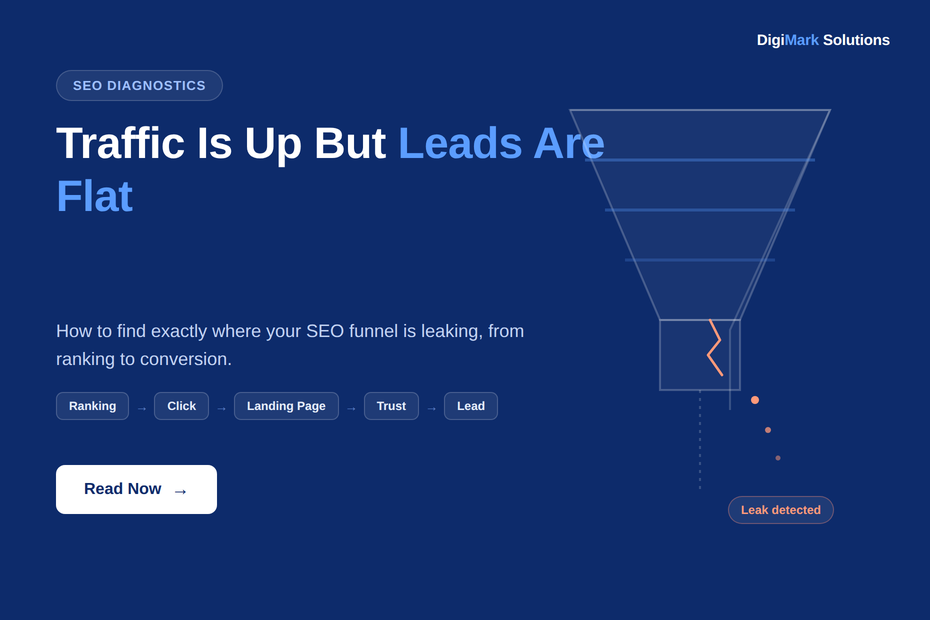
Traffic Is Up But Leads Are Flat: How to Find Where Your SEO Funnel Is Leaking
Organic sessions are climbing in Google Analytics. Impressions are up in Search Console. And yet the phone isn’t ringing any more than it was six months ago. This is one of the most common, and most misdiagnosed, problems in SEO: traffic growth that never turns into business results. Here is a practical way to find out exactly where it’s breaking down.
Growing Traffic Doesn’t Mean Growing Revenue
Every SEO dashboard is built to celebrate traffic. Sessions up, clicks up, impressions up, all trending in the right direction on a green line chart. It feels like progress, and often it is. But traffic is an input, not an outcome. The outcome that actually matters to a business is leads, bookings, or sales, and those three numbers can move in completely different directions from each other.
If your SEO strategy connects search intent to your commercial pages properly, growing traffic should eventually show up as growing enquiries. When it doesn’t, the instinct is usually to assume SEO “isn’t working.” In our experience, that’s rarely the accurate diagnosis. More often, something specific in the chain between a search and a converted lead is broken, and the traffic growth is actually masking exactly where.
This is a different problem from having no organic visibility at all. If your website simply isn’t showing up in search results in the first place, that’s a more fundamental issue, and we’ve written separately about why a website isn’t ranking and what usually causes it. This article assumes the opposite starting point: you already have traffic. The question is why it isn’t converting.
The SEO Revenue Leak Framework
To find a leak, it helps to think of SEO as a chain of stages rather than a single metric. Each stage has to pass a certain number of people through to the next one, and a weak link anywhere in the chain quietly caps everything downstream of it, no matter how strong the earlier stages are.
A rising traffic chart only tells you that the left side of this chain is working. It says nothing about the right side. The table below is a simplified way to see which stage each common SEO metric actually measures, and where to go looking for the data.
| Funnel stage | What it actually measures | Where to check it |
|---|---|---|
| Search demand & intent | Whether people are searching for what you offer, and what they mean by it | Search Console query data, on-site search terms |
| Ranking | Whether you appear for those searches at all | Search Console average position |
| Click | Whether people choose your result over competitors | Search Console CTR by query and page |
| Landing page | Whether the page loads fast and delivers what the click promised | Core Web Vitals report, page content review |
| Trust | Whether a visitor believes you’re credible enough to act on | Reviews, credentials, content depth, manual review |
| Conversion | Whether the path to contact is obvious and low-friction | GA4 key events, session recordings, form analytics |
| Lead to revenue | Whether enquiries are followed up and closed | CRM data, sales team feedback |
Search Console’s own performance data is the starting point for the first three stages, since it separates queries, pages, clicks and impressions in a way that makes it possible to see exactly where in that early chain a specific page or keyword is losing people.
Don’t Guess Where Your SEO Funnel Is Leaking
If you already have organic traffic but aren’t sure whether the real issue is technical SEO, content, search intent, page performance, trust signals, or the conversion path itself, guessing wastes time. Start by seeing the actual state of your site against the stages above.
Run a Free DigiMark SEO Audit →Where the Leak Usually Starts: Demand and Intent Mismatch
Before assuming your content strategy or your landing pages are the problem, it’s worth checking something further upstream: whether the traffic arriving is even the right traffic. A page can rank well and pull in a healthy number of clicks while attracting visitors who were never going to convert, because the keyword it ranks for doesn’t match the intent behind the page.
This shows up differently depending on the kind of business. A SaaS company might rank for a broad, informational term and pull in students and researchers instead of buyers evaluating software, a pattern that’s common enough that it shapes how we approach SEO for SaaS companies specifically. A manufacturer or healthcare provider might rank locally for a service they don’t actually offer at that location. Search intent varies enough by sector that a generic keyword list rarely tells the full story, which is part of why our approach differs across the industries we work with rather than applying one template everywhere.
The practical test: pull your top 20 organic landing pages by traffic in Search Console, and for each one, ask honestly whether the query driving that traffic matches what the page is trying to sell. If the answer is no for a meaningful share of them, you’ve likely found the first leak, and no amount of landing page or trust work downstream will fix it.
Stage by Stage: Where SEO Funnels Actually Leak
Assuming intent is reasonably well matched, the next step is working through each remaining stage methodically. These are the leaks we see most often, roughly in the order they occur.
Ranking and Click-Through
Ranking on page one and getting clicked are not the same achievement. A page sitting in position 6 to 10 can rank “well” by internal standards while still losing the large majority of available clicks to the five results above it. If Search Console shows high impressions with a low click-through rate for a page you’d expect to perform, the fix usually isn’t more content, it’s a sharper, more specific title and meta description that actually answers what the searcher typed.
Landing Page Experience
A click that lands on a slow, cluttered, or mobile-unfriendly page is a click you already paid for and then wasted. Google’s own guidance is explicit that Core Web Vitals measure real-world loading, interactivity and visual stability, and poor scores here correlate strongly with visitors leaving before they ever see your offer. This is also one of the fastest things to check objectively, since it doesn’t require opinion, only the right technical SEO tools pointed at the page.
Trust Signals
Once someone has landed on a fast, relevant page, the next barrier is whether they believe you. This matters more in some categories than others. Health, financial, legal, and consultation-based services carry a higher trust bar by nature, and Google’s guidance on creating helpful, people-first content reflects that: thin, generic pages rarely earn the confidence needed to convert, regardless of how well they rank. We see this clearly in niches like astrology consulting, where SEO for astrologers has to work as hard on credibility signals as it does on rankings, because the two are inseparable in a trust-driven category.
Conversion Architecture
This is the stage most often ignored, because it isn’t really an SEO task in the traditional sense, it’s a UX and analytics task. A visitor who trusts you still needs an obvious, low-friction way to act: a visible phone number, a WhatsApp link, a short form, not a five-field contact page buried in a footer. It also needs to be measured properly. In GA4, only the actions you’ve explicitly flagged are tracked as meaningful, so it’s worth confirming that the interactions that matter to your business are actually marked as key events rather than sitting unrecorded in general event data. Local business pages tend to get this right when the contact path is built into the page itself; our own SEO company in Gurgaon page, for example, is structured so a call or WhatsApp message is never more than one action away.
The SEO Revenue Leak Test: A Self-Assessment
Before running a full audit, this checklist gives a reasonably honest read on where your own funnel is likely leaking. Go stage by stage and be specific rather than generous with yourself.
- ✓Demand and intent: Your top landing pages actually match what the ranking query is asking for.
- ✓Ranking: You appear on page one for the searches that matter most to your business, not just page two or three.
- ✓Click-through: Your CTR on important queries is in line with, or better than, your average position would predict.
- ✓Landing page: Core Web Vitals pass on mobile for your highest-traffic pages, not just desktop.
- ✓Content quality: The page delivers on exactly what the title and meta description promised.
- ✓Trust signals: Real credentials, reviews, or proof of experience are visible before the point of contact, not buried on a separate page.
- ✓Conversion path: A visitor can contact you within one or two actions from any page on the site.
- ✓Tracking: The actions that matter to your business are configured as key events in GA4, not left as unmarked activity.
- ✓Follow-up: Leads that do come in are followed up quickly enough that the SEO effort isn’t wasted at the final step.
Your SEO Problem May Be Fixable, But First You Have to Find It
You can work through the checklist above manually, page by page. Or let DigiMark’s SEO Audit Tool scan the site and surface prioritised issues across ranking, technical health, content and conversion signals in one pass, so you’re not guessing which stage to start with.
You can also see what the SEO Audit Tool actually checks before you run it.
Audit My Website →AI Search Is Adding a New Leak Point Before the Click Even Happens
There’s now a stage occurring before the one most SEO reporting still starts at. AI Overviews and AI Mode can answer a searcher’s question directly inside the results page, in some cases satisfying the query without a click reaching any website at all. Google is direct about this in its own documentation: the fundamentals that matter for appearing in AI features are largely the same SEO fundamentals that already apply to traditional search, but the presence of an answer above the fold changes how much click volume even reaches your funnel in the first place.
For informational queries especially, this means impressions can hold steady or even rise in Search Console while clicks quietly decline, a pattern that’s easy to misread as a ranking problem when it’s actually a visibility-without-clicks problem. We’ve written more specifically about how AI-driven search is changing what gets surfaced, and if you want a quick read on where your own brand currently stands, DigiMark’s free AI visibility checker shows whether your site is actually being cited in AI-generated answers for your key topics.
Turning Clicks Into Leads
Once demand, ranking, and the landing page are solid, the remaining leak is almost always friction between “I’m interested” and “I’ve contacted you.” Clear CTAs, a visible phone number and WhatsApp option, honest testimonials, and transparent information about pricing or process all reduce that friction measurably. None of this requires guessing: what a realistic SEO or CRO investment looks like is usually a smaller conversation than business owners expect once the actual leak point is identified, because you’re fixing one specific stage rather than rebuilding the entire site.
If you want the fuller picture of how ranking, clicks, and AI-era search visibility fit together as one connected system rather than separate metrics, our complete guide on how SEO actually works goes into more depth than this article’s scope allows.
Connecting the Framework to the Fix
The framework in this article exists to help you think clearly about where a problem sits. The Audit Tool exists to help you find that same problem on your own website without manually working through every stage by hand.
An audit can tell you, with reasonable confidence, where the gaps are. Actually closing them, in the right order, with the right resourcing, is a separate job of prioritisation, strategy and execution. That’s a natural next step for businesses that want expert implementation rather than a self-serve checklist, and it’s the point at which working with an SEO and digital marketing team tends to make sense.
Know Your Traffic Is Growing. Now Find Out Why It Isn’t Converting.
A proper SEO audit can help identify whether the problem is:
- Search intent or keyword targeting mismatch
- Missing or weak commercial page coverage
- Technical SEO or Core Web Vitals issues
- Thin or low-trust content
- Internal linking gaps
- Page performance problems
- A conversion path that’s harder than it needs to be
No guesswork. No generic checklist. Start with a prioritised view of what deserves attention first.
Prefer to talk it through first? You can also contact our team directly and we’ll walk through what we’d look at for your specific site.
Sources referenced in this article:
Google Search Console Help, “Performance report: Overview and basic setup”
Google Search Central, “Understanding Core Web Vitals and Google Search results”
Google Search Central, “Creating helpful, reliable, people-first content”
Google Analytics Help, “About key events”
Google Search Central, “AI features and your website”